Thursday, 4 January 2018

Wifi connected but no internet (Fixed!)

I am no guru, but I like to share a solution or two whenever I find about it myself.

Today's solution is related to Wi-fi connectivity.

You may have run into this common problem: your laptop/mobile is connected to a wifi network, but you cannot access the internet.

The first thing you have to do is check whether its only your device that's experiencing the problem, or its happening to everyone who connects to the particular hotspot/SSID.

If its not a local issue (i.e., everyone's having the problem), then its highly likely the router is faulty (and highly unlikely all those devices are schram! and your router is fit as a fiddle!)

I am gonna cut to the chase here, and skip all of the usual trouble-shooting options (uninstall/reinstall drivers, reset router again and again and again until you can't get enough of it, and things like that). The thing is, networking is a complex issue. Sometimes, some devices cannot connect to some particular networks because, well, things don't quite fall in the way they're supposed to. No matter how much you try to fix it, it will never go away.

ACCEPT THIS FACT! YOU CAN'T FIX EVERYTHING! Not until its the right time, anyway.

Back to the issue.....

1) Easiest solution to connectivity problems: remove the wifi password and check if you can access the internet now. Some routers just can't understand security; they don't trust anyone, even the legit people. What can I say, they have the thousand-yard-ping issue; absolutely no trust.

2) Still no access? Next, make sure IP/DNS are set to automatic. (In case you're a static IP user, you can press the back button and visit another website in the google search results; I can't help you, mate). Do not set it up manually, whatever happens. Its a big trouble-shooting block; everyone acts like a know-it-all now-a-days, manualizing everything! eh! Not everyone's an expert. Keep your hands off any manual settings. Everything should be automatic.

3) Update firmware of your router. This shouldn't really be necessary, unless you're trying to connect a really new device which uses some out-of-the-world wifi adapter. Still, a proces is a process, and router companies are not pea-brained to just gas out firmware updates because they don't habve anything else to do! Try it.

4) Still not working? Don't worry. 98% of everybody ends up at this stage. The only thing left to do now is to take the router to the highest level in the building, and send it flying to a permanent vacation!

Then pick up your ol' goddamn wallet, rush to the nearest Walmart or Chroma and get a new router.
Do not get it online, those cheap blokes will try to stash their outdated stuff onto your lap.

If its a local issue (its localized to your device only), well, whew! At least you don't need to throw away your router. Good router! Good boy!

Bad phone! Bad laptop!

1) No. 1 reason its all too common: you've installed a custom rom on a rooted phone. What did I tell you folks? You really think you know everything? What is it with you? Why are you so hell-bent on showing off? "Hey look! I got a custaaaamm rroooommm installleeddd! Yea Yea Yea I'm so cooolll!" Seriously? You guys make me sick. Get a new rom, a stable one, and see if the problem persists.

2) Drop your router password and see if it connects. See? Even your router is sick of you custom-rom lovers. They don't let you in! They don't trust you chameleons.... how you change your colors so often!

3) Compare your signal strength with another device. Are the no. of bars the same in your (not so faulty) laptop and (so so faulty) phone (or vice versa) ? If not, its your adapter who's the real culprit. You can try logging in to your router and try boosting the speed/strength of the hotspot. You can also mess with the bands (2.4 rocks!!).

4) Charge you device to full and see if the problem's solved. No comments on this one; absolutely no comments!

5) Give the usuals a try: the ipconfig/flushdns , the netsh winsock reset catalog stuff (google it elsewhere) , the uninstall/reinstallation of drivers, etc.

6) Get the latest drivers from your product's official website.

7) If the problem still persists, well, only the Almighty can help you. You can consult another Tech Guru, visit the service centre, or just smash the god damn thing to the ground. Phew! Who needs such a piece of shit anyway?

Right?

Right??

~ VKB

Monday, 12 December 2016

The real reason behind "This site can't be reached" error.

If you are encountering this peculiar problem where only a few websites load and other don't, you're not alone.

This problem is faced by many users, and even though a lot of people attempt to fix using useless YouTube videos (100% working? My a******!!) and how-to guides.

First, let us see what this problem is about.

~ Some websites load perfectly fine (eg. google sites) while others don't. You can be pretty sure how pissed off I was when I sat down to complete my morning paid surveys and they failed to load, while my annoying friends had no problem pestering me with "Good morning!" messages on Whatsapp, even though both my phone and computer uses the same internet connection.

Why this happens:

~ As far as I've gathered, this type of problem occurs when you're assigned a faulty DNS. (What is DNS?). Usually, ISPs (like BSNL which I'm using) has a very bad service record; they hardly maintain their servers, so if one breaks down, they just switch subscribers to another good one, no matter its capacity. Its much like what the electricity guys do in rural areas; they connect 1000 lines to a transformer which can only support 500.

As a result, the DNS server suffers an overload. And we all know, overloading is bad. Very bad!!

Let me explain it to you in detail.

Suppose you were assigned DNS: 218.248.255.167/168 (primary/secondary) and you were really rocking it! But then these servers failed and the lazy government-salaried IT guys switched your connection to 218.248.233.9/10  with a capacity of 100 connections.

The only problem is that another 1000 users are already using 218.248.233.9/10 and so, due to being assigned to an overloaded DNS server, you're getting the error message on your browser.

Why some websites work:

~ Google is very rich so it has its own public DNS which you'll be familiar with if you're a tech savvy: 0.0.0.0/.4. Whenever you connect to a google website, eg. google.com, your primary DNS server doesn't have much work to do besides further relay your request to google's DNS servers.

Think of it like Bluedart delivering a parcel to Delhi or Mumbai. Bluedart already has a good knowledge all of all the galis and slums, the gunda-elakas and the raiz-elakas, so delivering a parcel to Delhi or Mumbai is a piece of cake for them.

In our case, Bluedart is your primary DNS server and Delhi is google's DNS. Even an overloaded DNS server can get you google.com because it easy.

But suppose you're sending something to Chundi gaon in the remotest part of UP, obviously Bluedart is going to have problems locating an address in a place its not very familiar with. Hence, instead of going beyond their call of duty (which they are supposed to do), they just return the parcel back to you and say "This address can't be reached, sorry. And no refunds; our delivery guys spent your money on petrol searching for this Chundi gaon of yours. Toodles!"

Why the usual fix don't work:

~ Some tech gurus will tell you to just switch your primary DNS to google's zeroes and four, and that did work for a long time, and maybe its still working for some ISPs.

But, again, some ISPs like our BSNL, which has a super-lazy government-salaried IT department, thought that "if we let these village idiots set their own DNS servers, God knows what they'll end up doing. Let's think of a way how we can stop that."

So BSNL now has a big moderator, which cancels any changes you make to your DNS settings, be it on your computer's IPV4 connection, or your modem's interface. Nope, it won't work.

So what to do?

~ I'll tell you how I managed to complete my surveys. I completed them during mid-day when most of those 1000 users using the same DNS as mine were taking their afternoon nap after lunch. During that time, my DNS server was getting hit with less requests and could easily handle the traffic.

So my advice, go away now and come back when no one else would even think of opening their computers and bombarding their DNSes with requests. Late at night (post 3 o' clock) or mid-afternoon (after 2 pm but before evening 4, because internet traffic is highest in the evening with everyone returning from work and opening their computers).

~ Another fix is to increases the frequency with which you send requests to he server. For eg, go to the website. If it doesn't load, don' hit F5 instantly. Wait for 10 seconds. Then reload. Chances are the website will load now. Its just like how the traffic police untangles a traffic jam. Slowly, steadily, one car at a time.

Eventually, after a week or so, you will be reverted back to your original DNS. Maybe those IT guys are not so lazy after all. If you're not a late night bloomer/ don't wanna miss your afternoon nap or you are impatient, then you will have to wait. Wait until your DNS is fixed. All good things to those who wait.

~ Kenji
The Doctor Blake Team.

Saturday, 26 March 2016

Link to "My Saved Buttons" in Paypal.

As of today 26th of March, 2016, the Paypal interface sure is friendly to mobile users, but not so friendly to us folks who need their donation button codes like their ID card while buying beer.

Shucks! Paypal wil be Paypal; it'll never change. But Dr. Blake is right here to pick up where Paypal has ignored, and that is the link to "my saved buttons" in Paypal.

1) Log into Paypal.

2) Click Here.

....and no need to thank me (but do +1 if you wanna help all the other confused and miserabe folks who are searching and searching but aren't getting squat).

DISCLAIMER: If you think clicking a link will give me access to your Paypal money, then please!!!! Please click it; I'll buy my bread with your money and ship you a crumb through FedEx.

Cheers!

~ VKB
The Dr. Blake Team.

Thursday, 20 March 2014

Fix Audio Problems (Direct X Fix + General Instructions)

While installing a game, most audio problems arise due to hampering of new updates or updating the audio drivers etc. But unless its a hardware problem, these can be fixed by updating The Direct X End User Runtime. 

Some games require a specific update for its audio functions (for eg. recently I fixed my Prototype 2 'audio.dll' error by downloading the June 2010 DirectX Patch). So its always better to first explore the net on specific and localized solutions to fix your problems faster.

~ If your game's audio is not working, use search terms on Google (or elsewhere) like " <Name of the Game> audio not working.

~ If results are not satisfactory, try searching the association name (for eg. for Microsoft Games, use 'how to fix audio errors of Microsoft games'

For the 90% users, audio problems are fixed by updating the latest Direct X Runtime Component. You can find it here: Click Here (First Link)

Make sure you let the automatic installer work properly (let it download all the files). Restart your computer if required. 

~ VKB

Sunday, 26 January 2014

How to fix broken Adf.Ly Links (especially for Indian Users)

As most of you know, AdGiant Adf.Ly has been blocked by Indian Telecom. That means no Indian IP can access the site or the links shortened by adf.ly. If you're an Indian user, and are sick of all the broken adf.ly links that hide your favorite content or download links, I have a solution for you!

The first thing that makes us Indians very lucky is that our government is foolish enough not to check for bypasses when they block a domain. The second thing is, this bypass will never expire because 'it is verified'. Yes it is. All you need to do is:

If your link is like this:

http://adf.ly/2gkfc

Just change the http:// to https://

Now the link will appear as:

https://adf.ly/2gkfc

and its done!

Adf.ly is working on resolving this problem and would have already done that by now. But for the time being, you don't have to miss out on your downloads or your contents. Repeated restrictions are becoming a heavy menace for advertisers these days. First thing this country can't give everyone a decent job, and when we try to earn a bit of money, they'd hinder that too.

Good luck! 

~VKB
The Doctor Blake Team

Friday, 22 March 2013

How to change a saved password in Google Chrome

For those of you that don't know, there's a much easier way to change a saved password in Google Chrome.

Now most of you would go through the whole delete-the-prev-pass- process by going to the wrench menu, etc. But do you know that you don't necessarily have to delete your old password?

Suppose you have your facebook password saved as coolguy123 but you recently changed it to noobguy123. After you change your facebook pass, log out and go to facebook.com again. Your username:oldpassword will be displayed in (yellow) highlights in their respective boxes. 

All you have to do is clear the password box and type your new password, and login. 

Now the next time you go to facebook.com again, you'll see that Google Chrome has saved your new password and replaced the old one. This is a pretty neat trick that I'm surprised none of the G.Gr. guys mentioned. 

But there is also a flaw over here. Suppose one day you accidently type an s in the password box and pres login, then Chrome would think that your new password is noobguy123s and replace it. In case this happens, just repeat the above steps and you'll be able to fix it in no time.


Regards
The Doctor Blake Team

P.S. We are the Best!!

Monday, 5 November 2012

How to make fast money - Earn while browsing the web!!

Hello!

Well, you've probably heard of the famous quote: "The web is what you make of it."

If you want it to be a source of entertainment, it'll be your source of entertainment. If you want it to be a friend, it will be a friend. Similarly, if you want it to be a source of information, or your book, it'll be that.

If you also want it to be your personal income source, you can make the best out of it and it won't betray you.

Today the biggest question online is that "How can you make money? Decent Money? And that too quickly?"

There are a lot of ways to earn money online no doubt. There are all these surveys. PTCs etc. that might (or might not) give you something for your long hours online, mostly you'll be underpaid. If you've already got into the rookie-level money making business, you'd know what I'm talking about.

The truth is, these are the best you can get. In times like these, when even getting a decent job is such a hard task, you'd be very lucky to get a $10 in a month. So I'm here to give you two decent ways (decent. not best) to make a handful of online cash to at least pay your basic bills. If you'd listen to my advice, I'd tell you to grab those opportunities before these disappear. You can always be on the look-out for better opportunities, just for assurance purposes.

The good thing about these two ways is that you don't have to spend long hours of your time spending clicking ads in the website, instead the revenue system is partly integrated into your every day browsing schedule. Just as an example, suppose your just chatting through facebook, a small slide will pop up from your taskbar. It won't disturb what you're already doing (like those annoying ads you get on various websites). The slide will just wait for you to finish your typing, and while you wait for your friend to reply to the chat, you can click the pop-up which will open up a new tab; and earn an amount within 6 seconds. After that, close it and continue facebooking.

Here are the details:

MyBrowserCash

All you have to do here is register, install a software, associate your software to your account, and continue browsing normally. From time to time, ads will pop up from the bottom right corner of your screen, while you're browsing your normal websites. All you have to do is click on the pop up. It will open up a new browser. Wait for a few seconds (it will be instructed in the pop up) and then close the tab. Its as simple as that. If you choose High Frequency ads from settings in your account, you can reach the $20 threshold in no time. Just try this one out, you won't regret it.

You can also refer members to increase your earnings, and get a share of their income.

Click Here (MBC)

20$2Surf.

This is somewhat same as MyBrowsercash. The only difference is that here, instead of timely pop ups, there will be a permanent bar where ads will keep appearing at regular intervals.
You can also visit the members site where you'll get a whole lot of opportunities to add extra balance to your account. Even here, the threshold is $20. If you're a regular browser, you'll have no problem reaching that mark quickly.

Click Here (20$2S)

Happy earning. For any queries, please contact me at my email msbnat10@gmail.com

Regards
~ VKB
The Doctor Blake Team

Thursday, 1 November 2012


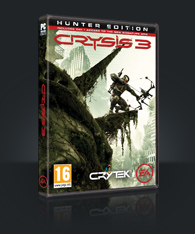
Anyone want Crysis 3 Alpha Multiplayer Beta keys. Testing of Crysis 3 starts Tomorrow[Nov. 2nd]. 

1 key = $0.50 
Please use the donation panel in order to pay for the key.

After that message me (msbnat10@gmail.com) with your email ID and the key shall be sent to you...!


Best Regards
~VKB
The Doctor Blake Team

Thursday, 4 October 2012

Filefactory Premium Account Daily Update

Hi!

If you're looking for a Filefactory Premium Account temporarily, please visit the link below. 

It will redirect you to an advert. After 5 seconds, skip that (press skip button) and scroll down the page to see a list of premium access to many sites including Filefactory and others.


To know more about how cracking works, you could visit a forum here:

http://adf.ly/3N76r

Best Regards

Doctor Blake

Monday, 24 September 2012

Samsung Galaxy S3 Vs iPhone 5


Ok if I'm not wrong, the hottest trend of today are two most unique phones with striking features and amazing style; each has its own essence, each comes from well-renowned brands. And the final question rests: Which one is better?

As always, let's first compare the tech specs of both the phones:


Well, looks like Samsung's devious plan to downgrade Apple finally came into effect. In fact, this year, all I heard was those two appealing to the law about copyright claims. I suppose that Samsung had no other option but to take on against the biggest bulls in the market, and since Microsoft isn't anywhere in the game of  phones, Apple seemed like a fine option.

One thing I tell you is that Samsung has a history of drops and bumps, so it will be a sport to watch how long this S3 trend's gonna last. Whereas, on the other hand, Apple has always managed to satisfy customers in their national market, (the same could have also been said for the int. market, but the price tag is an annoying sight to see over there!) and will continue to do so. So people, just one phone doesn't define those two. You gotta wait for more.

As for now, if you're looking for a fine investment, I would recommend the S3. Enjoy it while it still lasts. We never know what the future holds.


~ VKB

Thursday, 26 July 2012

How to increase browser and download speed.

Please skip the adf.ly ad.


Now that you have given me some profit with that adf.ly thingy, I'm gonna help you.
So one of the most common questions today is how you can get the fastest browser and download speeds like those guys over the US with Satellite Internets do it. In fact, that is just a null reference, I don't even know if that's true even.

Well, your internet speeds firstly depends mainly on your computer. you won't get 100 mb/s if your laptop has only a 20 mb/s processing speed. And even then you won't get the full 20 mb/s.
The next thing is your ISP. In countries like India, where there are less Wi-Fi hotspots and more individual paid internet connections, this is something you have to be very careful about. Some tariff plans offer a decent speed for a limited amount of data, some provide unlimited data transfer (but with a peak limit, of course, they can't risk blowing up the entire Internet Backbone). You have to choose like the most reliable speed. Always go for a higher speed with decent amount of peak limit usage. And by that I don't mean 8 mb/s for just 8 GB and after that......256 kb/s. Some ISPs don;t consider that peak limit thingy, so that could also be a + point.

Next is your browser: the best browser as far as I've tested right now 1:40pm [Thursday 26 July 2012 (EDT) ] is Google Chrome. You can use it with the latest Java Plug-in for maximum performance. (Mac users, please download the Chrome version of Mac, Its got 5 stars whereas Safari got only 4.

Go to speedtest.net to regularly check your speed. Also you can visit pingtest.net to test the quality of your internet connection. Not everything will be up to your expectations. I got a D- on my internet scores. So maybe my connection is not so good after all. But anyway these sutes help.

Always steer clear of softwares that require an internet connection to work. Eg: messengers, etc. They can subsequently slow down your internet speed. Also do not try to do anything funny with your Local Area Connection/Wireless Connection. They are your computer's sustem settings and Windows/iOS already configures these for maximum performance. Also no changing anything in utorrent or bittorrent clients. They will harm your speed rather than enhancing it.

More and more new technologies are being developed to provide people with the best quality of connections. We must know how to optimize each one for the maximum performance.

For more quality tips on how to enhance internet speeds, you can contact me at my email: msbnat10@gmail.com and do the same for any queries related. 

Happy Surfing!

~ VKB

Wednesday, 13 June 2012

Legit trick to get $1+ into your paypal account right now! [Android/iOS] required.

Hey everyone.

So I've been working on how to make some extra cash online and like most of you people, it was way harder than expected. I mean all those scams, hatred, competition...........

But let's not get into that right now. I'm making my monthly $20 so far, and though the work is a little hard, its better than sitting around doing nothing, right?

I want to share with you guys a trick to get $1 and more into your paypal account right now. Please note that your PP acc. has to be bank-verified (should have a verified bank account linked) if you wanna receive the money directly into your hands.

I guess you have an android/iOS mobile device. Use a friend's if you don't.

Step-by-step instructions:
-----------------------------

1) Go to m.appredeem.com or search for AppRedeem in Google Play Store [Android]/Apple App Store [iOS].

2) Download the app, open it.

3) You'll get a list of apps.

4) Press the list/options button on your android/iOS device (I'm not sure....this button varies from device to device but for my HTC xplorer it was the second touch button at the bottom of the screen).

5) In the list, tap on 'create account'.

6) On the next page, you'll be required to choose email and password. Make sure that you register with a paypal-verified email so that you can receive the payments.

7) Now this is the important part: The Bonus Code (if you skip it you won't get the instant $1). Search for a button on the screen named 'Bonus Code'(maybe the same page where you entered your email, maybe the page after that, I'm not sure, its been a long time).

8) Enter my username 'msbnat' (disregard the single quotes) and tap on ok.

9) There, that's it. Your account will be created and Presto! In less than 60 seconds, you'll have 1k points (reedeemable into paypal for $1)

10) Go to 'redeem' and select paypal payout (minimun 150 pts required).

They'll verify your email and send you the dollar.


There are also a lot of free apps that you can download and rate to earn some more. Try out all the free apps, refer friends (each friend you refer gives you 1k points. They have to enter your username during sign-up just like you entered mine).
\
So you see both of us got 1k points. This is so amazing! I hope you enjoy this app as much as I do.

Official site of AppRedeem: www.appredeem.com

Please don't try the popular 'appredeem'trick cause they'll detect this illegal activity and ban your acc. and device.


There is also another app called JunoWallet but I don't know much about that. Its not compatible with my android device but I've heard that's good too.

Good luck to all of you. For any queries, please contact me at msbnat10@gmail.com.

~ The DocTorBlaKe team.

Sunday, 11 March 2012

Play Halo 2 offline: creating local profile.

I have noticed that a lot of people have been going around asking for product keys to Microsoft LIVE Games.
Some of them just want to play the game offline but cannot, because LIVE interface keeps interfering and keeps asking to creating a live profile before the game can be played. I will explain how to create offline profiles for such games.

In a LIVE Game, (eg. Halo 2) after you start the game, you will be asked to create a profile or use an existing profile.

Click on 'Create New Profile'

After that scroll down and search for a link called "Create a Local Profile" many people don't know this so they think that the product key is essential even to play the game offline.

Follow the steps and bingo! You will be playing the game in no time.

Note that this will only create an offline profile so that you get to at least play the game once.
Multiplayer and host network will not be supported.

Monday, 5 March 2012

Make Money Online By PTC.

The world of internet is really huge and there a lot of income opportunities.
But for newbies to start off, they cannot go directly into the product businesses as that requires a lot of experience. So I want to share with you all that if you want to make some extra money online then you can turn to PTC Sites.

PTC or Pay To Click is a system by which Advertising websites pay you small amounts of money after you view some advertisements in that website. The system goes on like this: Advertisers come to these websites for promoting their websites and products. They pay the PTC websites money so that their stuff will get advertised there.

The members register in the PTC website and view those ads, for which the PTC websites pay the members.
Of course the amount paid to the members is less than what the advertiser pays the PTCs. But everyone gets what they need: the advertiser gets hits on his site, members get a small amount of money and the PTC makes profit.

This system is really a great way to earn for newbies looking for some extra cash. PTC sites pay through check or Paypal/AlertPay. So if you think you'd like to give it a try, then here are some websites. Note that you can't leave your job or something. This is just for something extra.

ClixSense (One of the best PTC websites)

http://www.clixsense.com/?r=3840918&p=View_Ads


Neobux
http://www.neobux.com/?rh=6D73626E6174

More coming soon.

Consider yourself registering to like more than 5-6 PTC websites.
So if eg. one site pays you $5 then its $5x $6= $30.

Only a few minutes of your time and you could earn your first payout. 

Best Regards
The Doctor Blake Team.

Sunday, 1 January 2012

Untethered jailbreak for Apple TV uptil 4.4.4 !

You heard that right!Wev'e done our looking around and this is what we found.Experience the untethered carnal pleasure of jailbreaking untethered as the team of Doctor Blake finds the untethered jailbreak link and creates a simple user guide.Seas0nPass came up the untethered jailbreak.We're giving you the details

First make sure you have these to use Seas0nPass:

1.A second generation Apple TV
2.A micro USB Cable{This will probably be in your local electronic store or in your TV kit}
3.A working computer with either Mac OS 10.6 and above or Microsoft XP or later

That's good.If you have been a seasoned Apple user,you would probably want to know what's new in 4.4 release

1.AirPlay Mirroring – wirelessly stream what’s on your iPad 2 to your HDTV.

2.Photo Stream – view photos recently taken on your iOS device and pushed to your photo stream in iCloud.

3.Trailers – A whole new way to browse and view hundreds of the latest movie trailers (region specific).

4.National Hockey League – watch live games. View highlights, scores and more.

5.Wall Street Journal Live – watch up to date news, business commentary and financial analysis.

If you are planning on updating your Apple TV to the latest build of iOS in order to use Seas0nPass to achieve an untethered jailbreak, it is worth noting that the Plex plugin is currently not supported.

So far,so good?Well,there's better.The guide to jailbreak your Apple TV on 4.4.4 is below.Just pay $3.20 on this website and then you will be able to access it.Of course you'll have to pay an additional fee of $2.20 for the last step.

Ok,I'm just prolonging it.Here you go

Step 1: Download the latest version of Seas0npass for either Mac or Windows depending on your operating system. When downloaded, unzip the ‘Seas0npass.zip‘ file and launch Seas0nPass

Step 2: As mentioned above, Seas0npass is based around a restore based jailbreak and therefore requires a custom built IPSW. Select the ‘Create IPSW‘ option to begin the process

Step 3: The latest Apple TV firmware (4.4.4) will be downloaded and Seas0nPass will use this file to create a custom jailbroken file.


Step 4: When prompted by the tool, connect your Apple TV device to your Mac/PC using the Micro USB cable. Do not have the power cable connected at this time. The light on the front of the Apple TV will begin to flash rapidly, it is now time to point the remote at the device and hold both the MENU and PLAY/PAUSE buttons for seven seconds.


Step 5: After the seven seconds has elapsed, release the buttons. iTunes will automatically open and begin the restore process. Don’t be alarmed by the windows that you see opening on the screen.


Step 6: After the process is complete, iTunes will confirm the successful restore. Your Apple TV is now jailbroken. You can check this by connecting the device to your television and viewing the interface. In the bottom right hand corner you should see a temporary ‘FC’ logo which confirms a successful restore.

If you have any previous experience of an iOS device, you will find the above process very similar to creating a custom firmware using PwnageTool or Sn0wbreeze. One fundamental difference comes when the jailbreak process is complete.

You will notice upon inspection that Cydia is no where to be found, this is because Cydia is not installed as part of the process and will not be used on an Apple TV. With that said, with a little on line investigation you will find many useful and handy add ons for the device which definitely make it a worthwhile venture.

-Doctor Blake aka Jeffrey Morgan Blake
Doctor Blake team